
Managing slates
Available with the CineMon PRO Recording Pack or a CineMon PRO Pass subscription.
The Slates organizer manages saved slate templates. For slate fields, the front and back of the in-monitor slate, and per-slate overrides, see Using slates.
Select a slate in the list on the left to edit its fields in the inspector on the right. Toggle the inspector with the button at the top-right of the view. Edits save automatically.
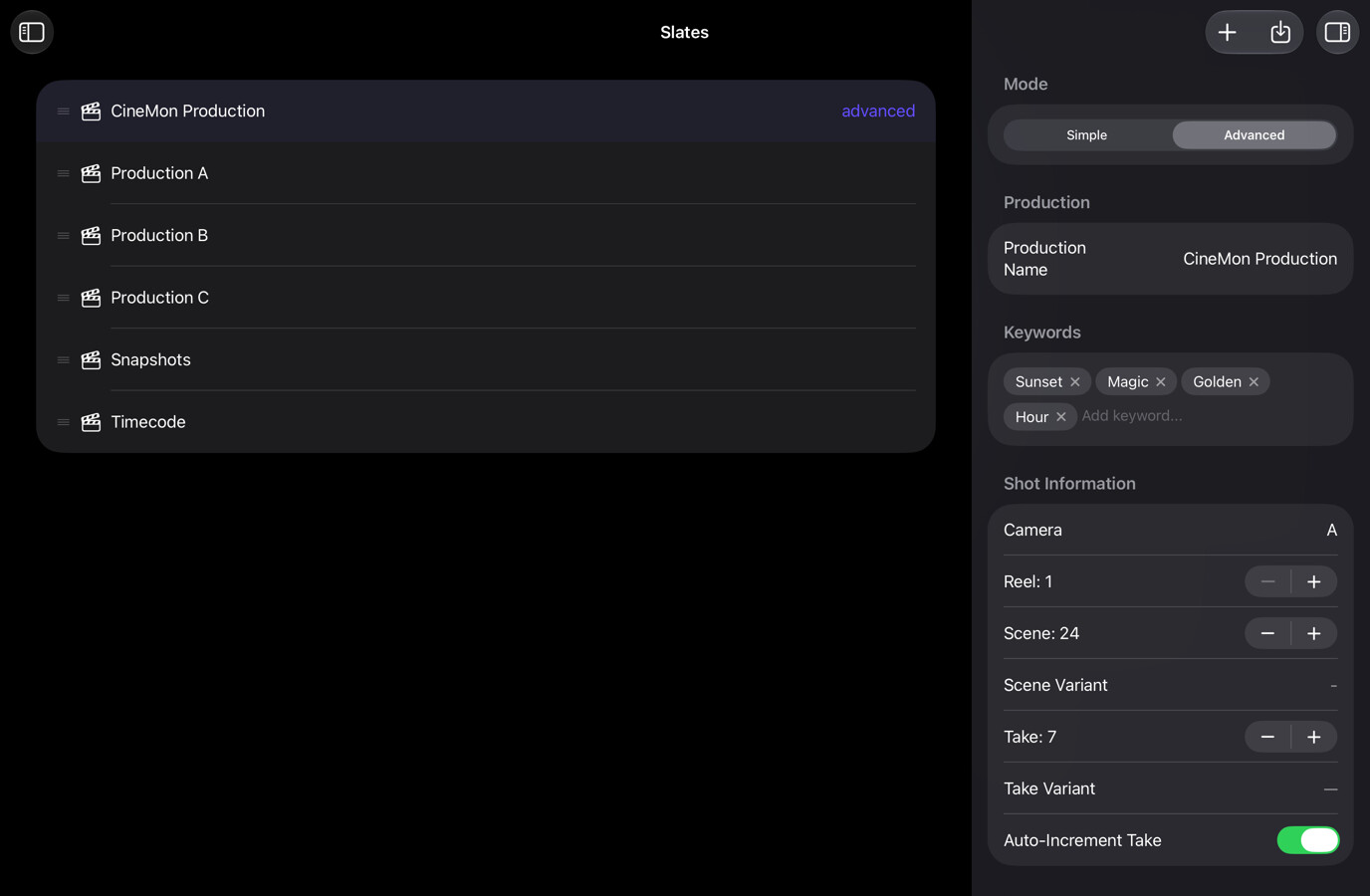
Where to open it
Open the sidebar and select Slates under Organizers.
Managing slates
- Create: select the + button in the toolbar. New, duplicated, and imported slates are added to the list.
- Edit: select a slate to edit its fields in the inspector. The organizer keeps its own selection, so editing a slate here does not change the active monitoring and recording slate. You choose the active slate from the in-monitor Slate.
- Reorder: drag slates in the list. The order is persisted between sessions.
- Import / Export: slates are
.cmslatefiles. Swipe a row (iPad) or right-click it (Mac) and choose Export Slate; import with the toolbar’s import button. Exported slates can be backed up, moved between devices, or shared with other CineMon users. - Duplicate / Rename / Delete: use the context menu or swipe actions. Deleting a slate deletes its saved template and settings, not recorded media or the metadata already embedded in those files. Export the slate first if you want to restore the template later. At least one slate always exists, so Delete is disabled when only one slate remains.