
Toolbars
The Toolbars organizer controls which tools appear in the monitor toolbar and the order they appear in. It is always available at no cost.
Tools are grouped by category. Each row has an eye icon that shows or hides the tool in the toolbar, and, in the categories that support it, a drag handle for reordering. Hidden tools are still reachable from other menus; they just do not appear as toolbar buttons. Changes take effect immediately, there is no Apply button.
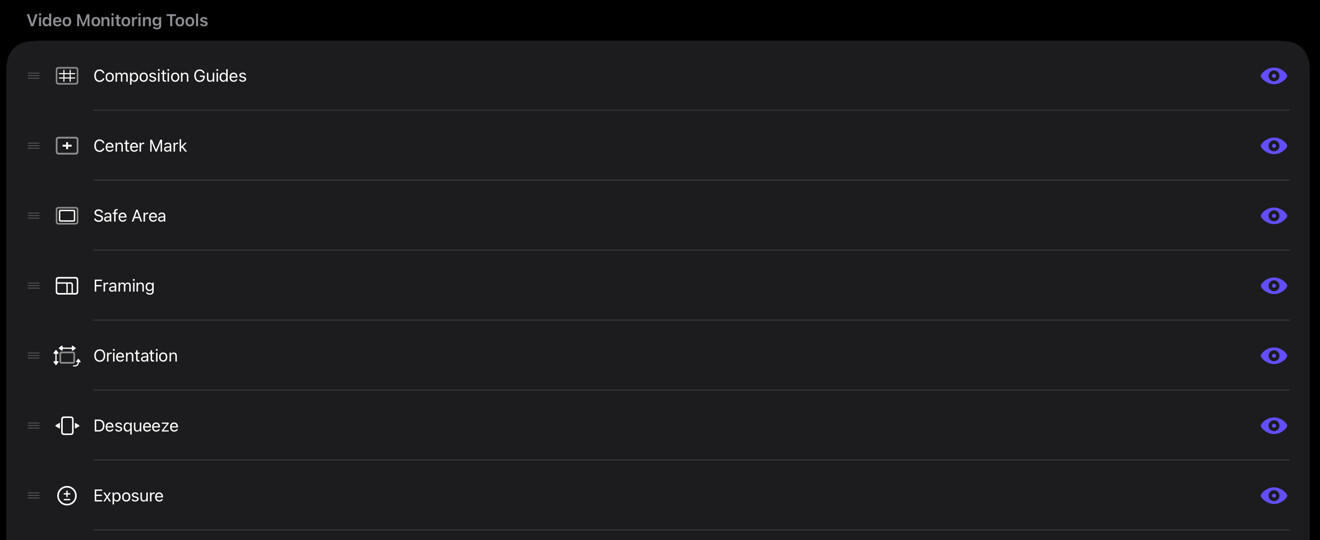
Where to open it
Open the sidebar and select Toolbars under Organizers.
Categories
| Category | Contains | Reorder |
|---|---|---|
| Video Monitoring Tools | Focus Peaking, Zebras, False Color, LUT, Image Adjust, Spot Meter, Color Palette, 3D Preview, and the other video tools | Yes |
| Video Scopes | Histogram, Waveform Monitor, Vectorscope | Yes |
| Audio Scopes | Levels, Loudness, Oscilloscope, Goniometer, Band Spectrum, FFT Spectrum | Yes |
| Audio Mixer | Audio Mixer | No |
| Capture | Snapshot | No |
| Recording | Slate, Record | No |
In the reorderable categories, drag a tool to a new position; the order you set is reflected everywhere that toolbar appears. The Audio Mixer, Capture, and Recording categories have a fixed layout, so you can show or hide their tools but not reorder them.
PRO tools
Tools that require a PRO Pack are marked Locked until the matching pack is purchased. They stay in the list so you can see what is available and open the Store.