
Video assist tools
Use Video Assist Tools to compose a shot, check focus and exposure, preview color adjustments, and monitor stereoscopic material.

Choose a tool
| Task | Tools |
|---|---|
| Compose and align | Composition Guides, Center Mark, Safe Area, Framing Guides |
| Correct image geometry | Orientation, Anamorphic Desqueeze |
| Check focus and keying | Focus Peaking, Color Keyer |
| Evaluate exposure | Zebras, False Color, Exposure, Spot Meter |
| Preview and inspect color | Image Adjust, Display LUT, Color Palette |
| Monitor stereo material | 3D Preview |
Select a tool in the Assist Toolbar to turn it on or off. Open its options drawer to adjust it, and save your configuration in a preset.
Each tool page explains how to use it and lists its settings.
You can combine tools. Start with the ones needed for your current check, then turn off overlays that make the image difficult to read.
Tool option drawers
Long-press a tool button in the Assist Toolbar to open its options drawer, then long-press it again to close the drawer. On iPad, touch and hold; on Mac, press and hold the mouse or trackpad button.
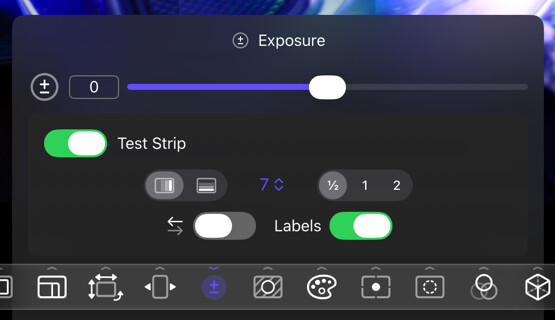
On Mac only, you can also select the small chevron beside the tool button. View → Tool Settings provides another way to open drawers on Mac or on iPad with a hardware keyboard.
Only one options drawer is open at a time. Opening a tool’s drawer closes any other drawer that was open.