
Color Keyer
The Color Keyer performs chroma keying: it replaces a sampled backdrop color, typically green or blue, with transparency. The tool is labeled Color Key in CineMon. Use it to preview a scene that will be composited in post production.
Available with the CineMon PRO Video Monitoring Pack or a CineMon PRO Pass subscription.

Use a lower threshold to identify uneven backdrop color or lighting. Raise the threshold to remove more of the background and inspect foreground composition and lighting. Zebras and Spot Meter can also help check lighting consistency.
Basic use
Long-press the Color Key button in the Assist Toolbar to open or close its options drawer. On Mac, you can also select the chevron beside the button. Select the tool button to turn the effect on or off.
- With the tool off, use the color picker to sample the backdrop.
- Turn on the tool, then adjust Threshold, Smoothness, and Despill while inspecting the subject edges.
Options
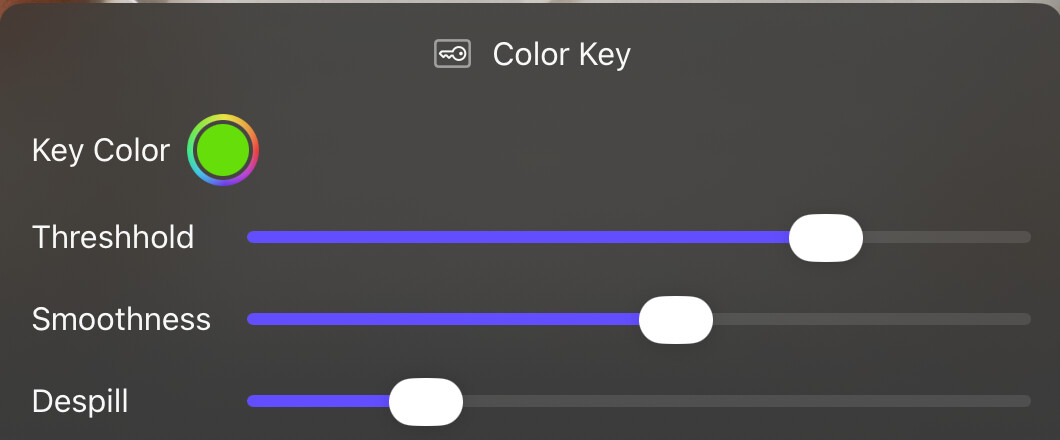
| Option | Values | Default | Description |
|---|---|---|---|
| Key Color | Color | Green | The color to key out. |
| Threshold | 0–0.3 | Low | Controls the sensitivity of the keying effect. |
| Smoothness | 0–0.2 | Low | Blurs matte edges for gentler transitions. |
| Despill | 0–0.5 | Low | Desaturates the background color from matte edges. |