
Exposure
Exposure applies a global exposure value (EV) adjustment in linear light, with an optional Test Strip overlay for comparing several exposure levels side by side. Both work photometrically, so they require the source’s Input Gamma to be correctly configured in its Input Profile to show accurate stops.
Available with the CineMon PRO Video Monitoring Pack or a CineMon PRO Pass subscription.
Use Exposure to preview a brighter or darker image when the source is intentionally recorded above or below your intended viewing exposure.
The Exposure shift feeds the shared Source signal that other analysis tools can read from: Zebras, False Color, Spot Meter, and the Scopes all offer a Tap Signal At control to read the signal at this source point (before the Display LUT and creative color) instead of the final output image. Adjusting Exposure lets you preview those tools against a shifted exposure without changing your actual look.
Basic use
Long-press the Exposure button in the Assist Toolbar to open or close its options drawer. On Mac, you can also select the chevron beside the button. Select the tool button to turn the effect on or off.
- Check the source Input Gamma in its Input Profile.
- Adjust EV, or enable Test Strip to compare exposure offsets side by side.
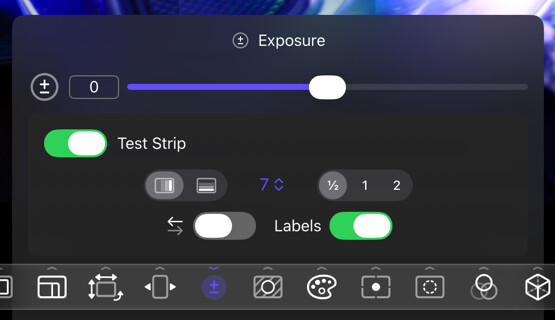
Exposure adjustment
Drag the slider to shift exposure from -6 to +6 EV. Double-tap the icon or the value readout on iPad or double-click it on Mac to reset to 0 EV.
Test Strip
Test Strip divides the image into strips with exposure adjustments in constant increments. Compare the strips to preview several exposure levels at once. Turn on Test Strip in the options drawer to enable it.
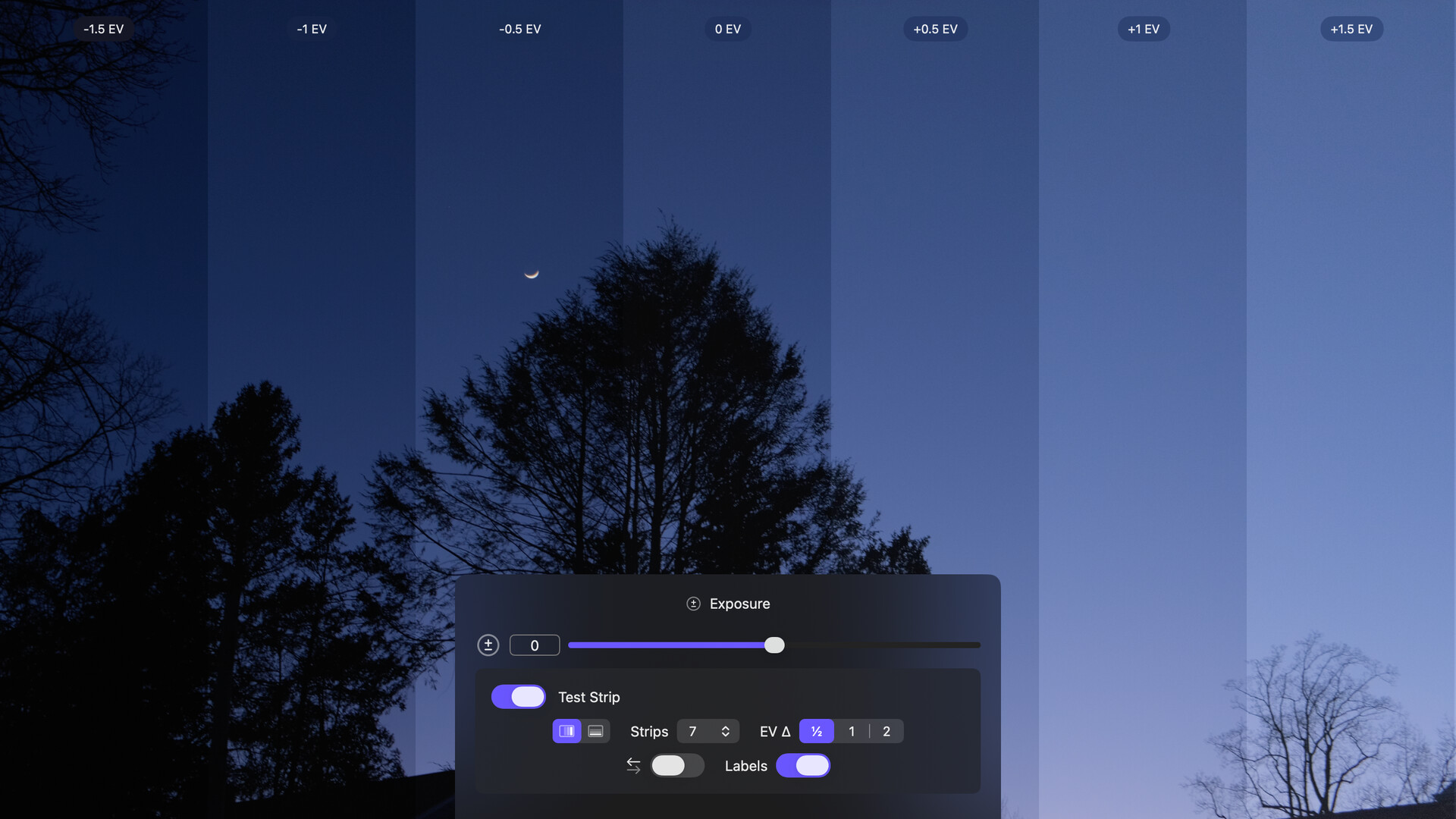
Options
Exposure
| Option | Values | Default | Description |
|---|---|---|---|
| EV | -6–+6 | 0 | Shifts exposure in stops (EV), applied in linear light. Each +1 EV doubles the linear-light values. |
Test Strip
| Option | Values | Default | Description |
|---|---|---|---|
| Test Strip | On/Off | Off | Turns the Test Strip overlay on or off. |
| Strip Orientation | Vertical/Horizontal | Vertical | Orientation of the test strips. |
| Number of Strips | 2-11 | 7 | The number of test strips to render. |
| EV Delta | [½, 1, 2] | ½ | The exposure difference, in stops (EV), between adjacent test strips. |
| Reverse Direction | On/Off | Off | Reverses the direction of the exposure gradient. When off, strips run light to dark from left to right (or top to bottom). |
| Labels | On/Off | On | Show the exposure offset in stops (EV) for each strip. |
Exposure and Test Strip require the source’s Input Gamma to be correctly configured in its Input Profile to show accurate exposure levels. See Color Management.
Tips
Pair Exposure with a Spot Meter set to Tap Signal At: Source to confirm exactly how many stops you’ve shifted the preview by.