
Safe Area
Safe Area adds an inset rectangle to help you keep titles or important action away from the edges of the frame. Set it to the title-safe (graphics-safe) or action-safe dimensions required by your delivery specification.
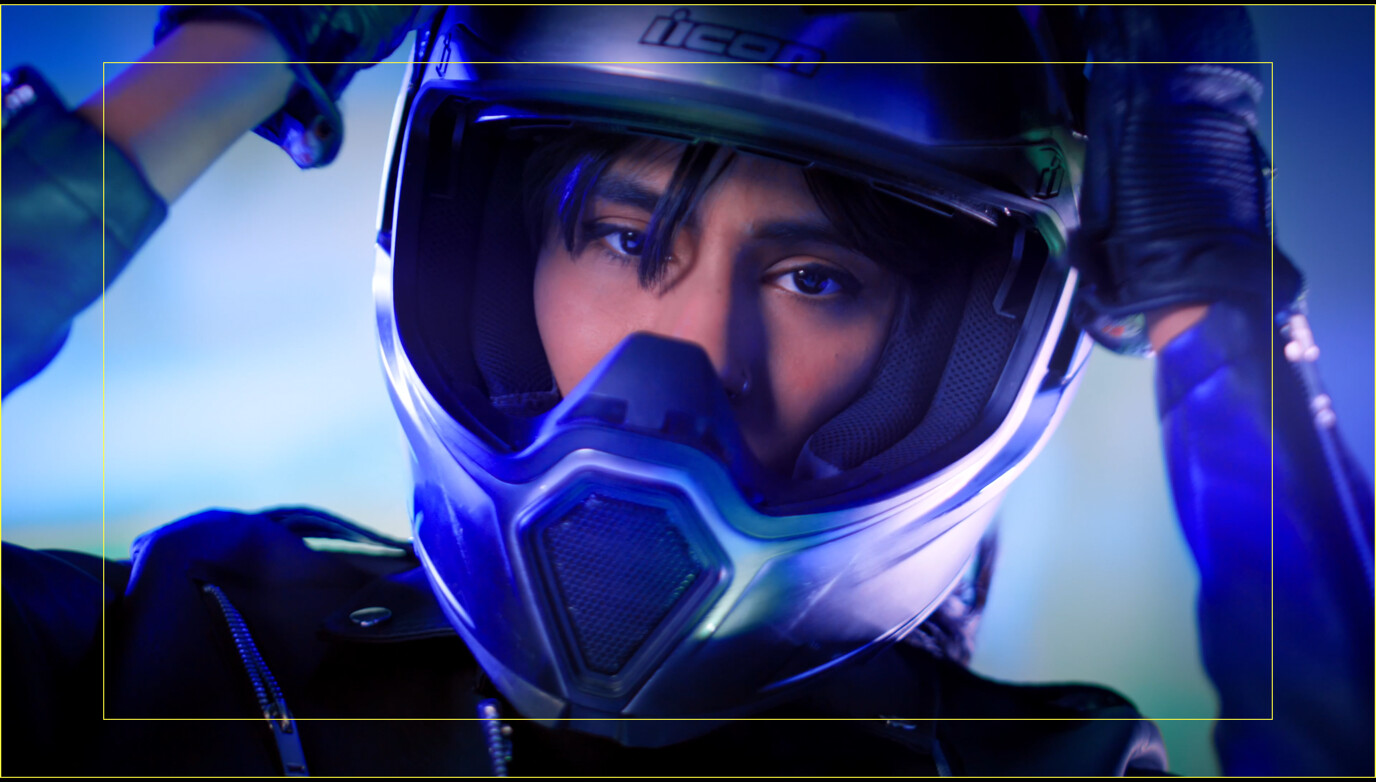
Set the Safe Area Guide size as a percentage of the main image, with your choice of color and opacity.
Basic use
Long-press the Safe Area button in the Assist Toolbar to open or close its options drawer. On Mac, you can also select the chevron beside the button. Select the tool button to turn the effect on or off.
- Set Safe Area Size for your delivery requirements.
- Adjust the guide color and opacity, then keep essential titles or action inside the rectangle.
Options
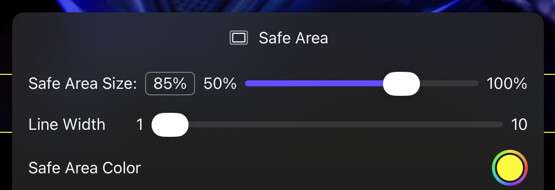
| Option | Values | Default | Description |
|---|---|---|---|
| Safe Area Size | 50%–100% | 85% | Scales the rectangle relative to the current aspect ratio. Use the action-safe or title-safe percentage required by your delivery specification. |
| Line Width | 1–10 | - | The pixel width of the safe area border line. |
| Safe Area Color | Full color and alpha | White, 50% | Controls the color and opacity of the safe area guide. |
As with all other composition tools, the Safe Area guide respects the aspect ratio of the input image and Framing Guide A, if enabled.