
Zebras
Zebras overlay diagonal stripes on pixels above or below chosen luma thresholds. The Hi/Lo mode can warn of clipping whites or crushed shadows. The Range mode highlights an IRE range, useful for checking middle gray or skin tones.
Available with the CineMon PRO Video Monitoring Pack or a CineMon PRO Pass subscription.
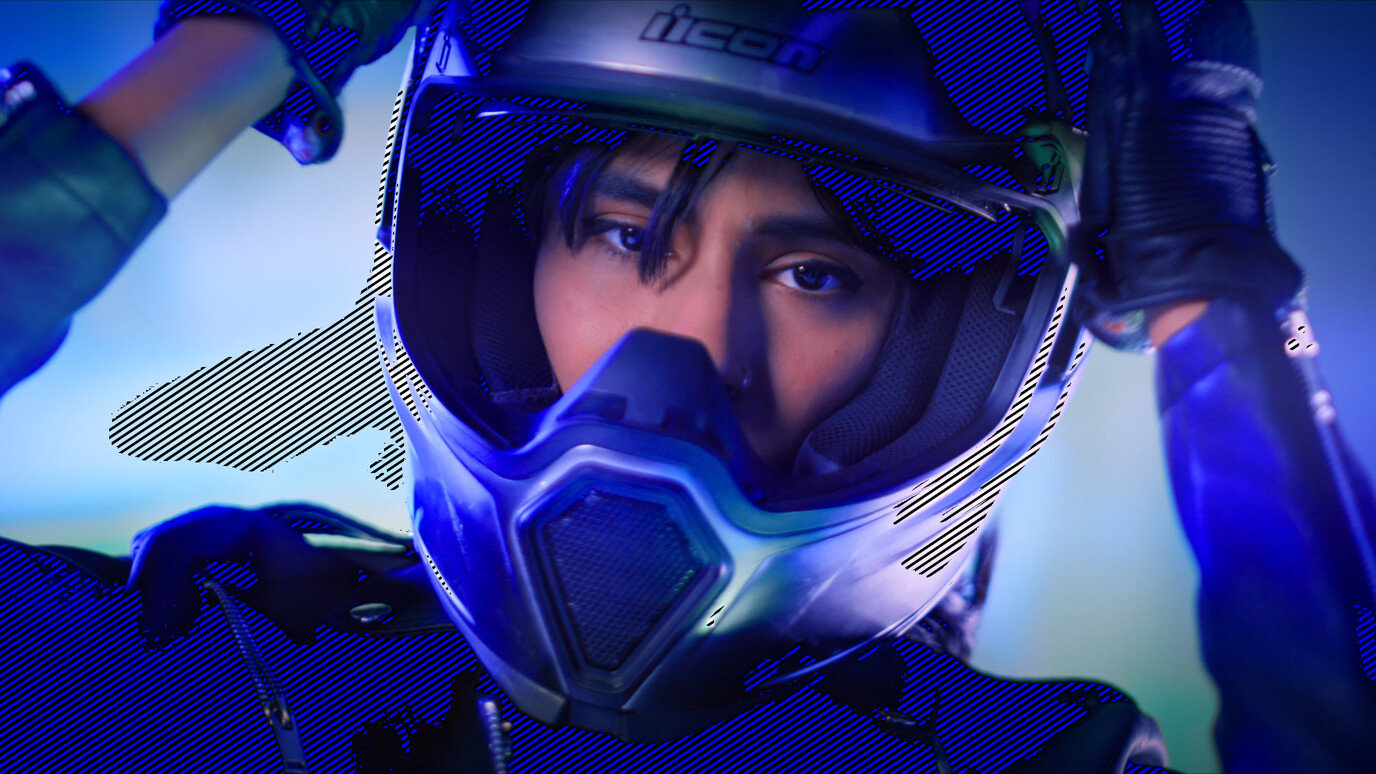
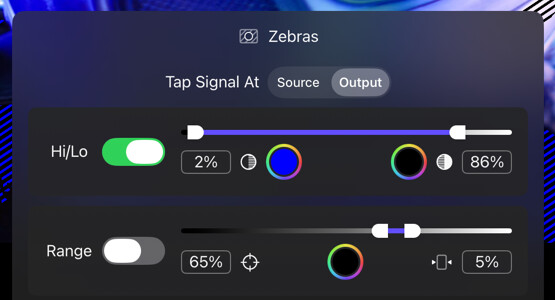
Use the tool option drawer to customize the shadow/highlight IRE values, or the target IRE value and range width. Both modes can be active at once and the zebra colors are individually customizable.
Basic use
Long-press the Zebras button in the Assist Toolbar to open or close its options drawer. On Mac, you can also select the chevron beside the button. Select the tool button to turn the effect on or off.
- Choose Tap Signal At to inspect the source or processed image.
- Enable Hi/Lo and set shadow and highlight thresholds, or enable Range and set a target and width.
Options
| Option | Values | Default | Description |
|---|---|---|---|
| Tap Signal At | Source/Output | Output | Whether Zebras reads the signal at the source, before the Display LUT and creative color, or the final processed image. |
| Hi/Lo | On/Off | On | Activates Hi/Lo zebras mode. |
| Shadow IRE Threshold | 0–50% | 0% | Pixels below this IRE level show shadow zebras. |
| Highlight IRE Threshold | 50–100% | 100% | Pixels above this IRE level show highlight zebras. |
| Shadow Color | Color | Blue | Tint of shadow stripes. |
| Highlight Color | Color | Black | Tint of highlight stripes. |
| Range | On/Off | Off | Activates Range zebras mode. |
| IRE Target | 0–100% | 65% | Center IRE target for range zebras. |
| Range Width | 1–50% | 5% | Width above and below the IRE target to highlight. |
| Range Color | Color | Black | Tint of the range stripes. |
In Compare, Source zebras analyze V1 and appear only where V1 is visible in the comparison. Output zebras analyze the composite.