
What's new
CineMon 2.0 expands picture monitoring into a combined video monitor, audio mixer, and recorder for iPad and Mac. The main additions are two simultaneous live video sources, multi-source audio mixing, standards-based loudness metering, and recording with slates and timecode. For the complete version history, see Release notes.
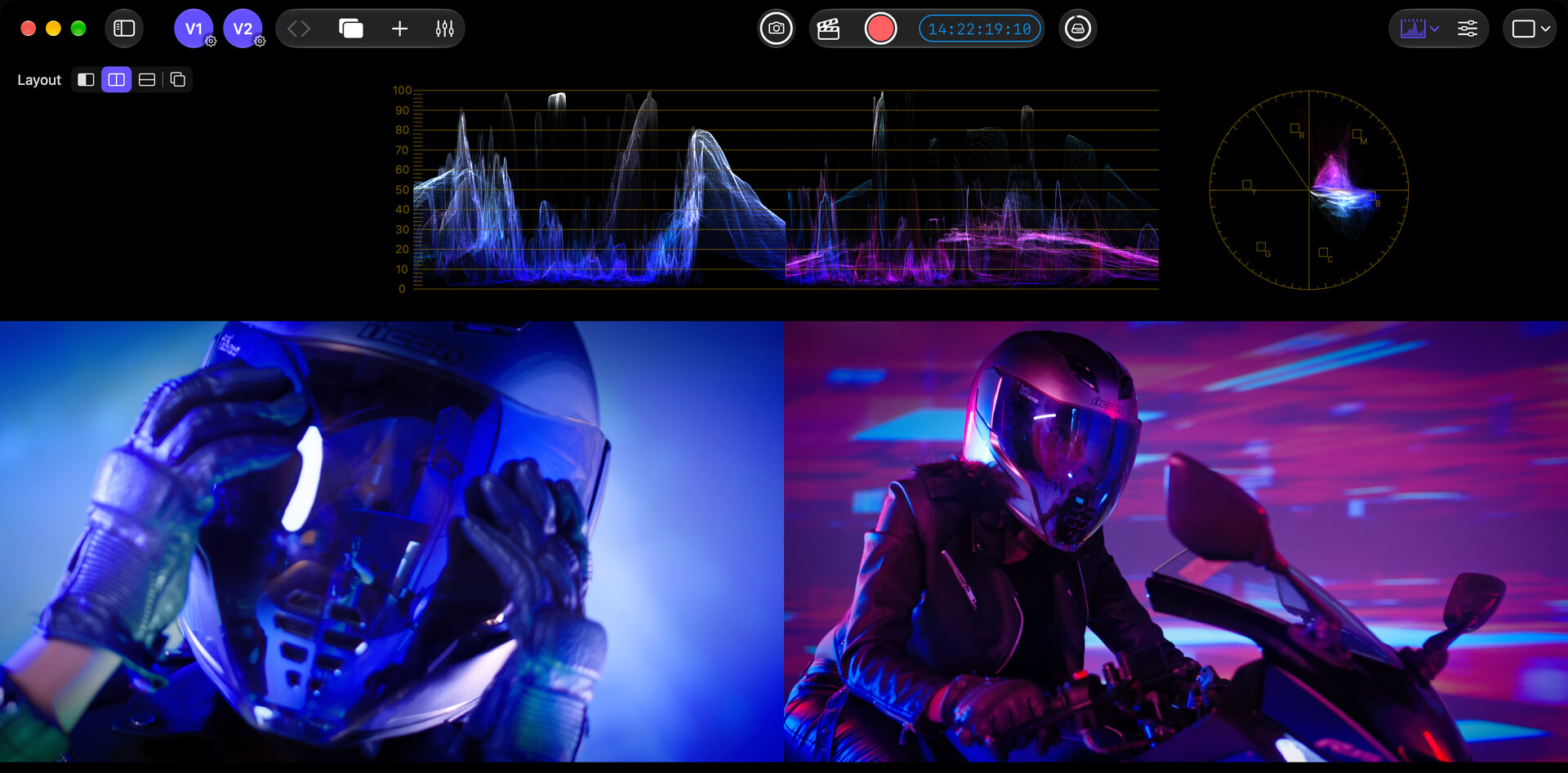
Monitor two live video sources
Run V1 and V2 simultaneously on iPad or Mac, then switch the active monitor between them. The sources can be two live inputs, or a live input and a reference file. Supported iPads can also use two built-in cameras. Start with Video sources and devices.
Reference Mode displays both sources together with wipe, side-by-side, top-and-bottom, or overlay views for camera matching and continuity checks. Six monitor layouts let you arrange picture, scopes, color channels, framing crops, and False Color views. Reference Mode and multi-view layouts require the PRO Video Monitoring Pack or PRO Pass. Processed Image recording captures the Compare composite; Raw Input records the selected source. CineMon does not record two separate video files at once.
The Wipe guide combines position, rotation, and opacity controls directly on the picture. Double-tap on iPad or double-click on Mac to reset the corresponding control. The guide fades when idle and hides while zoomed; Compare mode and wipe settings are remembered across relaunches.
Mix and analyze audio
- Multi-source mixing: combine camera audio, microphones, interfaces, and files, with or without video. Sources with different sample rates, bit depths, and channel layouts share one mix. There is no fixed number of audio sources; capacity depends on the device.
- Six audio scopes: Audio level and loudness meters, a goniometer, an oscilloscope, and two spectrum analyzers (band and FFT) cover level, loudness, stereo image, waveform, and frequency analysis.
- Loudness metering: ITU-R BS.1770 measurements include momentary, short-term, and integrated loudness, true peak, loudness range, and history, with EBU R128, ATSC A/85, and custom delivery targets.
Record with slates and timecode
- Recording and capture: record raw input or the processed image in H.264, 10-bit HEVC (including 4:2:2 and 4:4:4 on supported encoders), or ProRes. Snapshots add Monitor View and All at Once modes.
- Digital slates: attach production metadata, choose per-slate recording settings and library destinations, and share
.cmslatefiles. - Timecode and sync: use Record Run, Free Run, or External LTC, with Jam Sync, freewheel, drop-frame support, and Advanced LTC Alignment.
- Long-take monitoring: optional audio drift correction, dropped-frame indication, and a post-recording review notice help identify captures that need checking.
Carry production metadata into post
Media Library provides previews, Good Take flags, ratings, notes, keywords, and Smart Collections. Scene, Take, Reel, Camera, and Notes travel in QuickTime and XMP metadata into DaVinci Resolve and Final Cut Pro. Recordings also carry color tags; check imported color interpretation when working with camera log formats.
Scale your monitoring setup
Use USB capture adapters, Accsoon SeeMo devices on iPad, or compatible Blackmagic Design DeckLink and UltraStudio hardware on Mac through Blackmagic’s CoreMedia IO webcam adapter. The same monitoring tools work across portable setups and professional video I/O. See Video sources and devices for connection requirements.
Input Profiles preserve per-source log, gamut, Color Space Transform, and calibration LUT settings. Log support includes Z CAM Z-Log2, Apple Log 2, and Kinefinity KineLOG3. iCloud configuration sync keeps reusable configuration available across devices.
Updated video tools and workspace
The rebuilt Metal engine uses a 16-bit video pipeline to reduce banding, with lower latency and reduced scope-processing overhead.
- Focus Peaking: improved fine-detail detection and a Threshold control to suppress grain and noise.
- Exposure and False Color: integrated Test Strip, Stops, Skin Tone, White Balance, and custom IRE gradients. Spot Meter adds a Signal mode.
- Color Palette and 3D Preview: inspect dominant colors or evaluate stereoscopic material.
- User interface: Home organizes video and audio sources, with floating controls, rearrangeable toolbars, and an optional classic layout.
Spot Meter probes now stay anchored to the picture while resizing, zooming, and panning, with edge buttons to recover probes outside the view. Preset switching offers Save and Switch, Discard and Switch, or Cancel when you have unsaved edits. Recent external files are kept separately for video/images and audio, while captured and imported library media stay in the Media Library.
Core monitoring remains free. See Packs and purchases for the Video Monitoring, Audio Monitoring, and Recording packs, bundles, and PRO Pass.